
Professional 3D File Conversion

Convert NWD
to IFC or DWG

Convert Autodesk Navisworks (.nwd) models to IFC 2x3 or DWG with native 3D solids for engineering, BIM and construction projects. Accurate geometry, scale and coordinates, with a custom quote within 24 hours.

Navisworks models only

Drop your .NWD file here

or click to select from your computer

We accept only .NWD files•All model sizes individually evaluated
Your files are secure and confidential. We handle every project with care.
Navisworks NWD industrial plant 3D model prepared for IFC and DWG conversion
NWD Industrial Model
IFC 2x3 • DWG Solids

Secure and Confidential

Your files are protected under strict confidentiality protocols and never shared or trained on.

Professional Conversion

Processed and reviewed by experienced BIM/CAD engineering specialists, not a black-box tool.

Quality Verification

Mandatory QA checks verifying 3D geometry integrity, dimensions, scale, and origin coordinates.

Fast Delivery

Quotes returned within 24 hours. Converted files delivered via private temporary email links.

Services

NWD to IFC and NWD to DWG Conversion Services

Choose the output format that best fits your project needs.

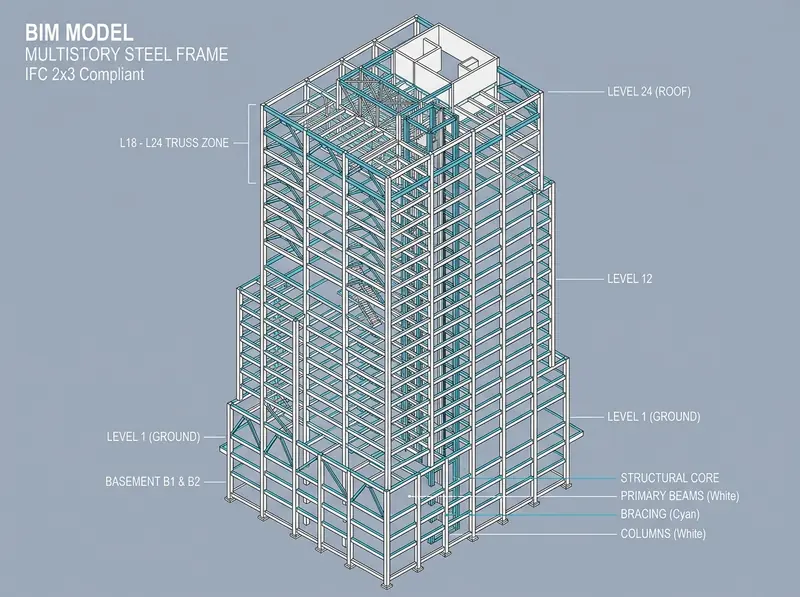
Structural steel BIM model in wireframe, an example of an IFC 2x3 conversion output
IFC 2x3 Schema

NWD to IFC

Convert Navisworks models to openBIM standard IFC 2x3 for multidisciplinary BIM coordination, clash detection, and software interoperability.

  • 3D geometry & dimension integrity
  • Units & real-world coordinate origin preserved
  • Open IFC 2x3 format, widely supported by BIM tools
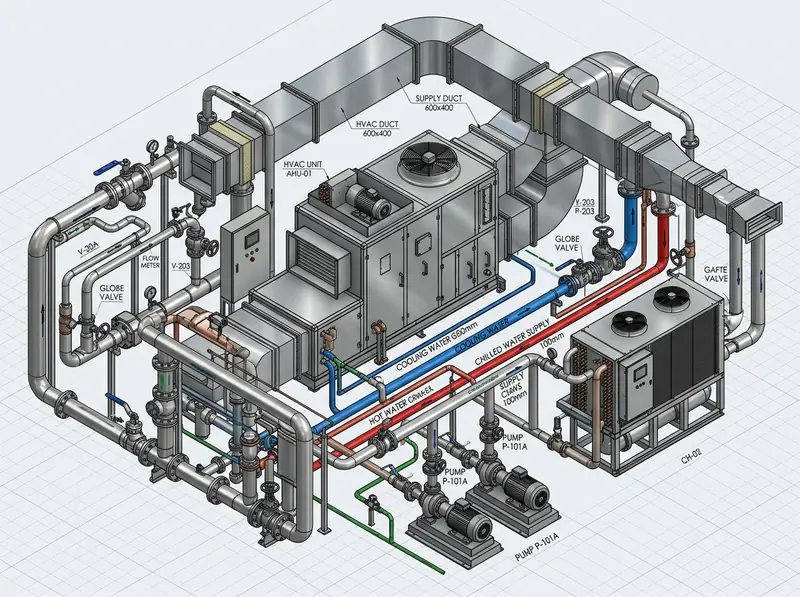
Mechanical piping model built from 3D solids, an example of a DWG conversion output
DWG 3D Solids

NWD to DWG

Convert Navisworks models to AutoCAD DWG format with native 3D solids for drafting, plant engineering, and mechanical coordination.

  • True 3D solids (ACIS solid geometry)
  • Exact spatial placement and coordinates
  • Native AutoCAD DWG format for CAD workflows
IFC 2x3
+
DWG
Dual Delivery

Both Formats

Receive both IFC 2x3 and DWG files from your single Navisworks model. Each conversion is individually priced and itemized in your quote.

  • Single upload for both deliverables
  • Transparent itemized pricing for each format
  • Complete openBIM & CAD workflow coverage

Technical Scope Commitment: Convert 3D Pro guarantees faithful 3D geometry representation, dimensional integrity, scale, and origin coordinate alignment. In compliance with our scope policy, original BIM semantic properties, categories, materials, and layers are not guaranteed.

Formats Explained

NWD vs IFC vs DWG: Which Format Do You Need?

An NWD file is built to review and coordinate federated models in Navisworks. To keep working with that geometry in other BIM and CAD software, it is converted to an open IFC file or a DWG drawing file.

Comparison of the NWD, IFC 2x3 and DWG file formats handled by Convert 3D Pro
FormatWhat it isBest forWith Convert 3D Pro
NWDAutodesk Navisworks Document: a proprietary, review-oriented container for federated project models.Model review, multidisciplinary coordination and clash detection inside Navisworks.Input only (.nwd)
IFC 2x3Open, vendor-neutral BIM exchange schema maintained by buildingSMART (openBIM).Interoperability between BIM tools, coordination workflows and long-term model exchange.Output: IFC 2x3 geometry
DWGThe native AutoCAD drawing and model format, here with true 3D solids.Drafting, plant engineering, mechanical coordination and CAD workflows.Output: DWG with 3D solids
How It Works

How NWD File Conversion Works in 5 Steps

From upload to delivery, every model is individually evaluated and verified by BIM/CAD specialists.

  1. Step 1: Upload Your NWD File

    Submit your single Navisworks model (.nwd) through our secure direct upload form. All file sizes evaluated.

  2. Step 2: Receive a Custom Quote

    Our engineering team analyzes the geometry and sends a tailored quote with price and timeframe within 24 hours.

  3. Step 3: Confirm Payment

    Pay 100% upfront via secure Stripe or PayPal (USD or EUR). Payment confirmation immediately launches execution.

  4. Step 4: Professional Conversion

    Our BIM/CAD engineers manually convert the model and perform strict QA checks on coordinates, geometry, and scale.

  5. Step 5: Download Your Files

    Receive your deliverables by email via private download link, backed by our 7-day correction warranty.

Ready to convert your Navisworks model? Quotes are delivered in ≤ 24 hours.
Upload NWD File
Built for the Construction Industry

Reliable file conversion
for real engineering projects

We work with engineering consultancies, BIM managers, general contractors, and industrial project teams worldwide, delivering rigorously inspected conversions with zero compromise on spatial accuracy.

Federated industrial BIM project model from a Navisworks NWD file
Navisworks NWD Federated Model

Maintain Geometry

Accurate 3D solids and wireframe representation

Preserve Coordinates

Exact real-world spatial positioning & origin alignment

Compatible Formats

IFC 2x3 openBIM schema & DWG 3D Solids

Trusted Process

Strictly confidential with 7-day correction warranty

FAQ

NWD to IFC & DWG Conversion: Frequently Asked Questions

Find answers to common questions regarding formats, turnaround, payments, quality control, and confidentiality.

An NWD file is an Autodesk Navisworks Document: a compact snapshot of a federated 3D project model that combines geometry from several disciplines, such as architecture, structure, MEP and piping, for review and coordination. NWD files are built for reviewing models, not for editing geometry in other software, which is why teams ask for IFC or DWG versions to continue working in BIM and CAD tools.

NWD is the Navisworks container used to review and coordinate federated models. IFC (Industry Foundation Classes) is an open, vendor-neutral BIM exchange format maintained by buildingSMART; we deliver IFC 2x3, which is widely supported by BIM authoring and coordination software. DWG is the native AutoCAD drawing format; we deliver DWG files with native 3D solids for drafting, plant engineering and CAD workflows.

Have specific technical requirements for your NWD model?

Our engineering team is ready to answer questions regarding federated models, large datasets, and coordinate reference points.

[email protected]